Friday, December 28, 2012

Bad Elf GPS Pro

Application: iPhone, iPad, iPod Touch,
Function: GPS position and tracking
Cost: Free
Rating: *****

I hope everyone had a glorious Christmas. I certainly did, celebrating with my family and relatives.  Christmas eve service, food, wine, gifts, and assorted Christmas goodies were all part of the festivities.  New Years is just around the corner and we are about to go off the Fiscal Cliff.  Well at least the world did not end on December 21st. We seemed to have at least dodged that one!

It is a busy time of year so, I will do my best to keep updating my blog.  Speaking of Christmas, how about some Bad Elves.  No not those little vertically challenged folks in green and red costumes.  I am talking about the Bad Elf GPS.   I followed the development of the original Bad Elf GPS a couple of years ago.  I had purchased an iPod Touch which had no GPS so I looked a various options to get GPS coordinates to my device and apps.  It easily plugged into the 30 pin connector on the bottom of my device and provided the needed GPS signal to my iPod Touch. 

Bad Elf has now come out with an new and improved version of their little GPS. The new model is called the Bad Elf Pro BE-GPS-2200.
This model has Bluetooth and a host of new features that make it make it real winner!

Features:

  • LCD Display
  • Bluetooth communication 
  • Supports dozens of third party apps
  • Supports up to 5 devices at a time
  • 16 hour battery life with Bluetooth connections
  • 32 hour battery life as data logger
  • Configurable GPS sampling rate
  • Stand alone data logger
  • Points of Interest
  • Splash proof IPX4 rated
  • 45 second GPS lock time
  • 2.5 meter accuracy
  • 60,000 feet max altitude
  • 66 channel MTK chipset
  • Mini USB port for charging
  • Upgradable firmware
  • 3.2 oz
  • Download logs to iPhone or iPad
The Bad Elf GPS Pro can be used as a GPS source for the iPad, iPad2, iPad3, iPhone 3G, 3GS, iPod Touch 1st, 2nd, 3rd and 4th generation.

The GPS is Apple Mfi approved and works with virtually any locational based app available in the iTunes AppStore.
 
All the major marine, aviation, hiking, vehicle navigation, cycling, running/walking, golfing and geocaching  apps can be used with the Bad Elf GPS devices.

Marine apps include, iNavX, Navionics, iSailor, MotionX GPS, MemoryMaps, Chart and Tids, SailMaps, Jeppesen, Marine Charts and Imray. 

The Bad Elf GPS Pro comes with a companion app to use and display logged GPS data.

The Bad Elf app has five soft keys at the bottom of the screen for navigating the different pages of data and maps. The first Bad Elf page allows you to select the Bad Elf version that you have. This is where you initiate the connection to your Bad Elf device. It will work with the original or the new Pro model.

 The second page show the GPS data. There is not much special here, just some standard position, accuracy, time, speed and heading data.

The Map page will show your realtime GPS position.  The Trips page is where you can view data from your logged trips.  Data logging is only available on the new GPS-2200 model. You can use it independently on your travels to record your trips.  The GPS-2200 can then be paired with an iPhone or iPad and the logged trip data files can be downloaded to the device for viewing and analysis.

On the Info page you will find the settings for the app. Here you can setup the units for distance, speed and export capabilities to email, and iTunes in KML an GPX formats. Other FAQ and support pages are offered here too.

The app provides the ability to email and export the log files to in GPX and KML formats. The OpenIn feature also allows many of the third party apps to display the GPS-220 log files also. Not all app support this feature but many of the marine charting apps will open and display the log files on marine charts.

A handy trip details page provides the user with many maximum and average speed, distance and altitude readings for each log file.

It looks like a solid device that does more than just provide you with some GPS coordinate data.  It can provide GPS data for up to 5 devices simultaneously so everyone on board can have access to it.  The logging feature is an added bonus and the free app let you control and view all the necessary information and log files.

If you have an older WiFi only iPad or iPod touch that you want to put to use on your boat this is one alternative. The price tag is around $144 on Amazon so it is not cheap. If you are buying a new iPad be sure to get the 3 or 4G versions that have the GPS chip in them. You pay about the same and it is much more convenient having the GPS on your iPad.

The device and app only support iOS devices at this time, so the Android folks are left out of the game again.  Rumor has it that it is just a firmware limitation and that it may be addressed in coming updates. Stayed tuned!

~~~Sail On~~~ /)
Mark


Sunday, December 23, 2012

Happy Holidays - Xmas Touch

Application: iPad, iPhone, iPod Touch
Function: Christmas photobooth
Cost: $.99
Rating: *****

The Christmas Season is upon us and it is a time to celebrate the birth of our Savior.  I hope that you are surrounded by family, friends, warm weather and fair winds. This is a time to reflect on the many blessings we have and how fortunate we are to live where we live and able to do the things we love.  Some of you are celebrating the holidays on land with the "dirt dwellers", like me, while many of you are anchored in some exotic locations worlds away. My hope it that you are all chasing your dream and living life to the fullest each day.  We are here on earth such a short time, don't waste a minute of it wishing you were doing something different with you life. 

I have been writing this blog for about two years and have to say it has been a blast. I have found a creative outlet for myself, learned alot and made many friends in the marine industry along the way. I have always found that people who hang around boats are exceptionally great people, willing to help out and lend a hand when needed.  We all have a common bond.  Boaters understand it is about the journey not the destination.  Most of us know that by putting good thoughts and deeds out there, they come back to you 1000 times over. 

In the blogi-sphere it takes a while to gain a following and I do thank my many loyal followers for checking in every few days to see what I have dreamed up.  Most of my blog posts are reviews or tutorials which are kind of technical and my be boring to some.  Whenever I try to explain these awesome marine apps to my wife I get this glossy eyed look, like I don't care. 

My goal all along has been to review the latest, coolest and Geekiest marine apps in hopes of explaining the intricate details of how many of them work.  I know I have helped a few of you because I get emails from people all over the world expressing their thanks.  The pleasure has been all mine. Just to know that I helped someone understand an app a little better gives me a great deal of personal satisfaction and a warm fuzzy feeling all over.

I try to throw in a post once in a while of something out of the ordinary to keep it interesting.  I don't get many comment on these so I assume they are not of interest and have kept them to a minimum.  Today is one of those days but I guarantee you will enjoy this app and get a chuckle out of this post.

I ran across a fun little app to make your Christmas a little more enjoyable.  Xmas Touch will cost you $.99 but it is well worth it just for the fun you will have. 

It is very easy to use and it will allow you to decorate any picture with a variety of Christmas items and ornaments.  It will work best with pictures of yourself, friends, family or even your family pet.

The app's first screen has options to take a picture with the camera on your iPhone or iPad or choose a photo from your picture gallery.

Once you have selected your picture it will drop you into the photo booth mode where you can start adding items to the photo.  This is where the fun starts!  Select the Cabinet icon in the lower left of the screen to access the items. They include different hats, glasses, lights, antlers, beards, ornaments, hair and other items.

With the cooperation of my Golden Retriever "Piper" I was able to quickly make him look more festive for the holiday season.  He is a very photogenic dog, don't you think?

Selecting the next Drawer icon brings up the items you have added to the picture so far. They show up in the side banner in the upper right of the screen. You can select any of these to edit or if you want to delete them, first select the item and then hit the Trash icon.

Add a catchy holiday greeting by selecting the T icon.  You can also change the size, rotation and position of the selected items by using the controls in the lower right side of the screen.

Once you have completed your Holiday Creation you will surely want to share it with your friends.  Select the Black Arrow, upper left, to return to the menu.  The Share option will allow you to post it to Facebook, Twitter, email, or Instagram.

To save it to your Photos camera roll on your device, select the Save to Role selection.

It is a fun and easy way to add some Christmas cheer to your photos or get someone in the Christmas spirit.

Send me some of your creations and I will share them on the blog!

I am looking pretty salty below with my Santa beard and bulb ear ring. I hope your laughing by now!


Happy Holidays
Mark


Thursday, December 20, 2012

iPolar

Application: iPhone, iPad, iPod Touch 3rd gen, requires iOS 5.0
Function: Calculate polar diagrams for sailing performance
Rating: ***
Cost: $9.99

Your average boater is not going to have a clue what a polar is. Let me first say it is not where Santa Claus lives and it has nothing to do with an Express train either. Sorry for the Christmas references but it is the season. Sorry, it was a very lame attempt at a joke to get you to read the rest of the post. Now that I have your attention, the cute bear picture is compliments of Standford.edu!

If you are a sailboat enthusiast you may be interested in the app called iPolar.  The very smart people at KND-Sailing Performance from Valencia Spain have built this Velocity Prediction Program (VPP) app to help you quickly create polar diagrams and data with a few inputs of the boats vital statistics.  Polar diagrams are a very complicated subject and I will not go into a complete explanation here. You can Wiki or Google it to find out more. Basically, a polar diagram is the graphical diagram, consisting of the theoretical maximum boat speeds at various true wind speeds and headings, along with the associated upwind and downwind VMGs (velocities made good).  Knowing your boats optimum points of sail with respect to the wind can give you an edge in a race or get your across oceans is a shorter amount of time.

Features:
  • Calculate polars for cruising yachts 8-20 meters
  • No multi hull support
  • Length Overall input
  • Displacement input
  • Mainsail area input
  • Jib area input
  • Unit in metric or imperial
  • Length Waterline input
  • Symmetrical Spinnaker area
  • Asymmetrical spinnaker area
  • Resulting polars can be visualized as a graph or table of numbers
  • Polars can be sent directly to the weather/routing application such as Weather4D Pro
The app will calculate a polar for each sail configuration in the input data.  iPolar will compute a polar diagram describing the yacht's performance in kts for wind strength ranging from 4 to 30kts and true wind angles ranging from 0° to 180°.

The app has three soft keys at the bottom of the screen. These include Parameters, Polars and Values.

The Parameters page is where you enter your boats name and mandatory data of Length, Displacement, Main Sail area and Jib sail area. Several different boats and configurations can be added to the app.

Optional parameters include Length at waterline, symmetrical spinnaker area and asymmetrical spinnaker are.


The Polars page shows you the diagram of your yachts. Note the two buttons at the top for selecting the Main-Jib configurations and the Main-Spinnaker option.

The app is designed to develop polars for cruising and racer/cruising types of sailboats.

The accuracy of the polar data decreases for yachts that have measurements or displacement to length ratios outside the range of production cruising yachts.

The Wind speed can be adjusted with the slide bar at the bottom of the screen. Note the different diagrams drawn on the chart.


The tabular Polar data is displayed under the third tab called Values. Wind speed is across the x axis and direction is on the y axis.

The polar data can also be exported to the Weather 4D Pro app. Select the arrow icon at the top to export the data.  The Weather 4D Pro app has a weather routing module that will calculate the optimum route for the current wind and boat polar parameters.

The custom polar diagram can be selected within the Routing module of the Weather 4D Pro app.

This is all pretty technical stuff and your average boater may never need to consider this level of detail.  If your a true ocean racer and want to get the best performance out of your yacht, iPolar will give you some data to improve your performance and cross oceans in the most efficient manner.  The Weather 4D PRO app is another great app to use when planning passages.

Christmas is coming soon and I hope all of you have your shopping done. If you know some Geeky sailor who might want to calculate Polars, I have just the stocking stuffer for him, iPolar.


~~~Sail On~~~ /)  

 ****Happy Holidays****
Mark


Sunday, December 16, 2012

Track Pad

Application: iPad Ver 5.0 or later
Function: Passage planning with currents and tides
Cost: Free
Rating: ***

I was paging through the many navigation apps the other day on iTunes and came across one I had not seen before.  Track Pad is a fairly new app that has been developed by the folks at Ruddernuts. I like these guys already just for their crazy name. They have put together a simple and intuitive app that can be used in passage planning.  It is designed primarily for sailors and calculates course and time to destination (TTD), calculations taking into various factors.  For us sailors this is an invaluable tool.

Track Pad is a great little app that should be on every sailor's iPad.  It is not available for the iPhone, so your out of luck there. 

The app is not a chart plotter, a GPS or a weather app.  It works independently from these devices to aid in your passage planning.  It allows the sailor to compute tacking solutions at any point of sail taking into account user selected wind and current directions and velocities.  Power boaters may also find it useful to calculate correct course settings taking into account wind and current conditions.

Tack Pad can use your sailboats Polar Diagrams to estimate speed and leeway.  Instant calculations provide estimated time of arrival and detailed information of the required course to steer and intermediate tacking points. Current and wind speeds and directions can be adjusted on the fly as conditions change. Instantaneous calculations provide the user with the new course to steer.

Features:
  • Drag and Drop multiple waypoints
  • Tacking solution calculate on the fly
  • Two pages for alternate routes
  • Downwind tacking
  • Estimate current speed and direction
  • Estimate wind speed and direction
  • Solve Course
  • Reverse Course
  • Add your boats polar diagrams through iTtunes
  • ETA and distances /tubes
  • Course to steer
  • Estimated leeway
  • Velocity made good
  • Estimated speed over ground

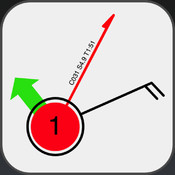
The main Track Pad display is simple and intuitive. The starting waypoint is the red waypoint labeled #1. Destination waypoints can be added with a double tap of your finger shown here as point #3. The gray intermediate tacking point is #2 and is automatically calculated.

The vital parts of the course and tacking points are listed in the diagram to the left. C is for Course to steer, B is for Bearing, Wind barb, TR is for Track, D is for distance, T is for Time and S is for speed.

All of these values are estimates and are used as a good starting point in you navigational trip planning.


The apps main display is used for creating the waypoints and adjusting the current and wind speeds and directions.

There are a set of icons on the lower right side of the screen to access other features and settings of the app.  The Top Page icon will allow you to select a second page for additional course calculations. The Arrows icon allows you to reverse the course and associated calculations with a touch of this button.  The Small i icon is for information of the waypoints. The last Gear icon is for the settings page which is shown at the left. 

Settings include velocity prediction programs (VPP) for three different boat characteristics. Polar boat performance settings and Leeway settings can be adjusted also based on your boats performance.

To start a course calculations just double tap the screen and start moving the points around the screen to estimate your intended route. As sailors we all know that wind and currents affect our boats intended course and speed. Tack Pad is programmed to make the calculations needed to come up with the course to steer taking into account these factors.

The example to the right shows my last trip from Ft. Lauderdale to Bimini in the Bahamas.  The trip as the crow flys is about 50 miles at a bearing of 117 degrees.  The wind was about 12 knots right out of the east.  Simply double tap the screen to add additional points if needed.  Points can be removed by double tapping them again. A single tap on any point brings up the info screen for that waypoint.

The other important factor in this calculation is the Gulf Stream current. In this case I estimated it to be about 5 knots running northeast at about 18 degrees.

To adjust the current settings, I tapped and held my finger on green arrow.  I moved my finger in a circle around the point to set the direction and away or towards the point to increase or decrease the current speed.  The settings were shown at the bottom of the screen as I adjusted them.  I was able to tap and hold the wind barb and adjust the wind speed and direction in a similar fashion.

The red coarse to steer line then automatically calculated an estimated time to destination of  9 hours and 11 minutes, speed of 7.9 knots at a course of 153 degrees to reach Bimini.

Using your finger to make these settings takes some trial and error but it can be done with some practice. In this example I did not have to tack at all so no intermediate tacking points were calculated.  If the wind had been more on my nose, it would have calculated the optimum tacking point automatically.

This slick little app can take into account your sailboats Polar diagrams. Polars are a graphical representation of the performance of your boat at different wind speeds and points of sail.

In the settings menu, tap the Polar section to make changes to the Polar options.  Settings can be made for main and jib or spinnaker configurations.  Theoretical hull speed can be set here also.

Individual specific polar diagrams for your boat can be loaded in to the program using file sharing in iTunes. Open up iTune and connect your iPad. Select the APPS tab for your device and scroll down to Track Pad listed in file sharing. Simple drag or add the polar text file to this location. Make sure to change the file extension to .bp before adding it.

I am very impressed with this little app.  I found it very easy to use and I liked being able to modify the settings to fit my boat's performance characteristics.  It is very useful as a planning tool and is a good starting point for getting your boat headed in the right direction.  In situations where you are dealing with strong current or wind this app will quickly give you a sense of how those factors will affect your desired course.

~~~Sail On~~~
Mark

Saturday, December 15, 2012

Return to Basics!

Saturday mornings are my quiet time to sit down and write blog posts about some Geeky apps.  This morning is different.  I felt compelled to express some feelings about yesterdays tragedy.  When my eyes opened this morning I was still thinking about what took place in Connecticut yesterday morning.  Another troubled young man killing 26 people in the Sandy Hook Elementary School in Newtown Connecticut. The victims included teachers, staff and 20 innocent children. This was in addition to the senseless mall shooting that took place in Oregon just a few days prior.

I watched the news most of the day as the details unfolded. At first it appeared most of the kids had made it out alive, then it was announced children had been slaughtered by a lone gunman with no apparent motive. I kept asking myself why, why would someone do this? How evil do you have to be to commit such unspeakable acts on poor defenseless children?  Some will say he was a troubled boy who no one could help. Some will foolishly blame guns for this insane act of violence.  I think there is something bigger happening here, something that goes to the very core of our society.

I am no expert but I can only give you my perspective and insight into why I think this may be happening.  In my short lifetime of 52 years, I have witnessed the decay of our society away from the morals and values that I was raised with and this country was founded on.  Good old Christian values of God, family, respect, caring, hope, love, humility, accountability, righteousness and community.  I was taught these by my two parents, my church and my community.

I was born in 1959 in a small Midwestern town to two loving parents that came from conservative christian backgrounds. I was no different from my friends or neighbors. You may have had a similar childhood. I spent my youth being taught values and principles that have guided my life and most of us in this country. My parents took us to church and taught us religious principles and values. In school it was ok to say a prayer, salute the flag, say the pledge of allegiance and be proud of our country and church. These morals and values are what held our society together. 

My father was the disciplinarian in our home. We learned right from wrong and respect by his example.  I would have never even considered using foul language for the fear of getting a good spanking.  A little fear was healthy and kept me on the straight and narrow path.  Today, we live in a society where parents are afraid to discipline their children for fear of child abuse charges. Today, kids have no fear of consequences for their actions due to this lack of discipline.

Like it or not, we are now reaping the results of what we have sown in our children.  We have to wake up as parents and return to these values or we will continue to see these societal problems get even worse.  Lets put a stop to this destructive path that we are on.  We need to all step up as parents and be responsible for the young lives we have in our hands, lead by example, teach them the morals and values we were taught. 

I gave both of my kids a big hug last night as I do most nights and told them that they are loved.  I can only think of those broken hearted Connecticut families who can't hug their kid tonight.

Mark